Contact@prince2training.co.uk
 01344203999




 Back
Back


Table of Content

09-Sep-2026

Maria Thompson
Have you ever worked on a project where tasks started piling up, deadlines became unclear, and team members were unsure about what to do next? In such situations, keeping track of timelines and responsibilities can quickly become challenging. A Gantt Chart helps solve this problem by providing a clear visual timeline of the entire project.
By understanding What is a Gantt Chart, teams can organise tasks more effectively, monitor progress and ensure projects stay on schedule. This blog explores its key components, steps to create one, and best practices to help teams manage projects more efficiently. Let’s get started!
What is a Gantt Chart?
A Gantt Chart is a horizontal bar chart used in Project Management to visualise and organise a project schedule over time. It displays project activities along a timeline, where each task appears as a horizontal bar showing its start date, end date, and duration. This structure helps teams understand how different tasks fit into the overall schedule and when each activity needs to be completed.
A Gantt Chart also highlights important elements such as milestones, task dependencies, and assigned resources. By showing how tasks are connected and how progress develops over time, it provides a clear overview of the entire project. This helps teams coordinate their work, monitor deadlines, and make sure that all team members stay aligned with the project goals.

History of the Gantt Chart
The Gantt Chart has become one of the most widely used tools in Project Management for planning and scheduling tasks. Understanding its origins helps explain how it developed into the structured visual planning tool used today. The history of the Gantt Chart is outlined below:
1) 1896 (Precursor):
Polish Engineer Karol Adamiecki developed a visual scheduling method called the harmonogram. Although it was conceptually similar to the modern Gantt Chart, it was published primarily in Polish and Russian, which limited its global recognition.
2) 1910–1915 (Development):
American Mechanical Engineer Henry L. Gantt created the Gantt Chart to help organisations plan project schedules, track progress, and measure worker productivity. His version gained wider recognition and eventually became the widely adopted format used in Project Management.
3) 1910s–1920s (Early Adoption):
The chart gained popularity in industries and was widely used during World War I to manage complex production schedules and logistics operations.
4) 1931 (Major Infrastructure Use):
Gantt Charts were widely applied in large infrastructure projects, including the construction of the Hoover Dam, demonstrating their effectiveness in coordinating multiple tasks and resources.
5) 1970s–1980s (Digital Transition):
As computers became more common, Gantt Charts started moving from hand-drawn formats to computer-generated charts, making scheduling easier and more efficient.
6) Modern Era: Today, Gantt Charts are widely used in modern Project Management software and cloud-based platforms, allowing teams to track tasks, manage dependencies, update schedules in real time, and collaborate more effectively.
Gantt Chart Components
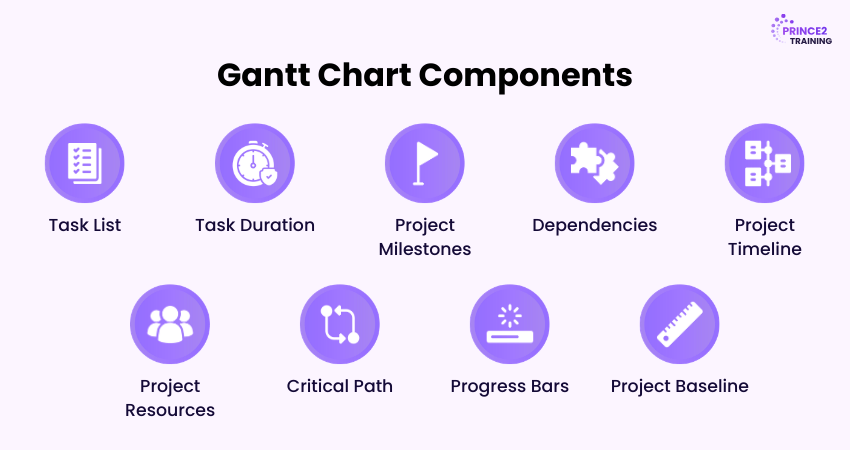
A Gantt Chart includes several key components that help Project Managers plan tasks, track progress, and manage project schedules. The main components are explained below:
1) Task List:
The task list includes all activities required to complete the project. It helps Project Managers organise work into phases, deliverables, and manageable tasks.
2) Task Duration:
Task duration represents the time needed to complete a task. In a Gantt Chart, it appears as a horizontal bar showing the task’s start and end dates.
3) Project Milestones:
Milestones mark important points in the project timeline, such as completing a phase or achieving a major deliverable.
4) Dependencies:
Dependencies show the relationship between tasks. They signify which tasks must be completed before others can begin.
5) Project Timeline:
The project timeline is the horizontal axis of the chart that displays the overall project schedule, including task durations and milestones.
6) Project Resources:
Resources include the people, tools, or equipment assigned to complete tasks within the project.
7) Critical Path:
The critical path is the longest sequence of dependent tasks that determines the shortest possible time required to complete the project.
8) Progress Bars:
Progress bars indicate how much of a task has been completed and help teams monitor project progress.
9) Project Baseline:
The project baseline is the original project plan used to compare planned progress with genuine progress during the project.
Build strong project leadership by combining Agile flexibility with
PRINCE2 Agile® Foundation & Practitioner Training
– Register now!
Steps to Create a Gantt Chart
Creating a Gantt Chart involves several structured steps. By following a clear process, Project Managers can develop accurate schedules and ensure that all tasks are properly organised. The following steps explain how to create and use a Gantt Chart effectively in a project:
1) Define Your Project Scope
The first step is to clearly define the project scope, including its goals, objectives, deliverables, and expected outcomes. Project Managers should also identify key deadlines, milestones, and potential constraints such as limited resources or budget restrictions. A well-defined scope ensures the team understands project requirements before creating the schedule.
2) Outline Project Tasks
After defining the scope, the next step is to list all the tasks required to complete the project. Breaking the project into smaller tasks helps organise work and ensures that no important activity is overlooked. At this stage, Project Managers also assign responsibilities, determine task priorities, and set tentative start and end dates for each task.
3) Add Milestones and Dependencies
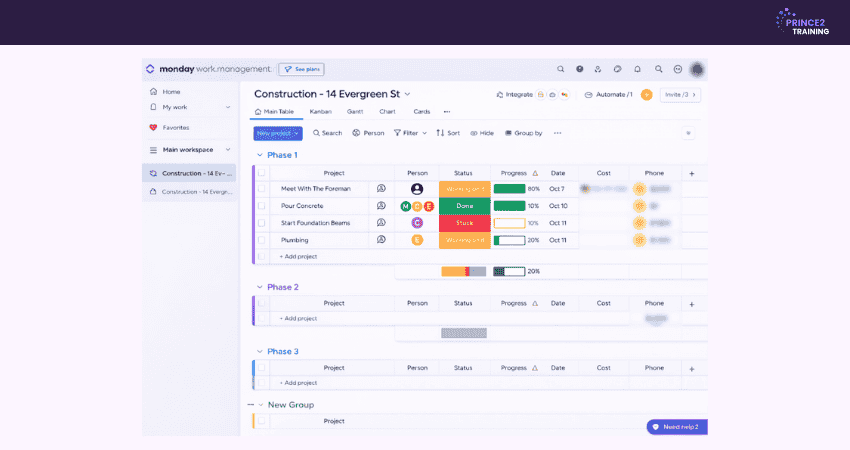
Once tasks are defined, add milestones and dependencies. Milestones mark key checkpoints in the project timeline, while dependencies show how tasks are connected and which must be completed before others begin. Mapping these relationships helps create a realistic and well-structured project schedule.
4) Assign and Manage Resources
The next step is to allocate the necessary resources to each task. Resources may include team members, tools, equipment, or materials required to complete the work. Proper resource allocation ensures that tasks are assigned to the right people and helps Project Managers monitor workloads to prevent overburdening team members.
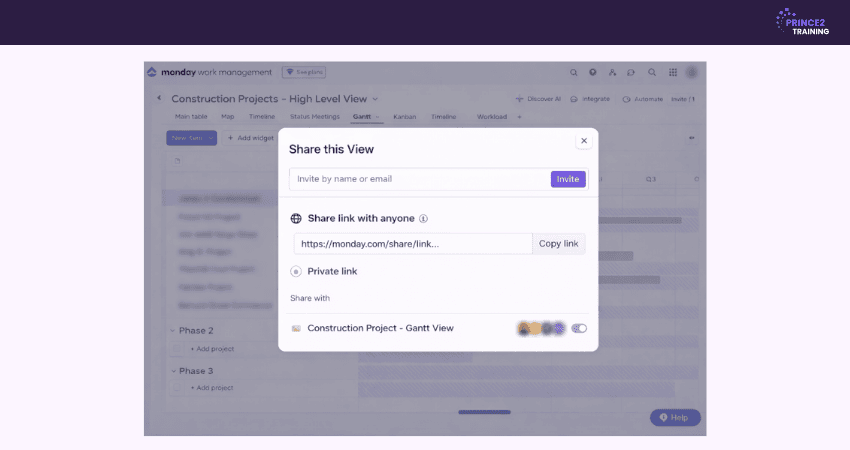
5) Share Your Gantt Chart
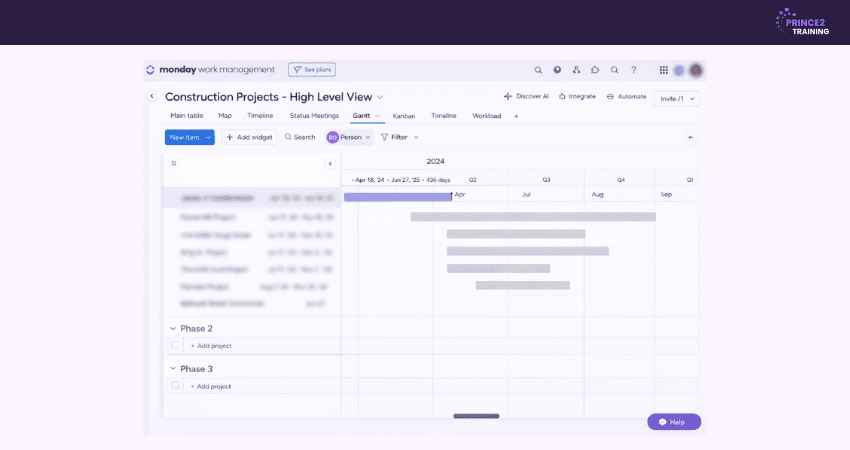
Once the chart is complete, it should be shared with the project team, stakeholders, and clients. Distributing the Gantt Chart ensures that everyone understands the project timeline, responsibilities, and deadlines. Many Project Management tools allow teams to share charts digitally, enabling real-time updates and improved collaboration.
Advantages and Disadvantages of Gantt Charts
Here are the advantages and disadvantages of Gantt Charts:
Advantages of Gantt Charts
1) Visual Clarity:
Gantt Charts display tasks on a timeline, allowing teams to quickly see project progress, upcoming deadlines, and relationships between activities.
2) Improved Planning:
The visual layout helps Project Managers organise tasks, identify scheduling conflicts, and plan work more effectively.
3) Better Communication:
Stakeholders can easily understand the project schedule and current status without reviewing lengthy reports.
4) Stronger Time Management:
Clear timelines help teams prioritise tasks, stay organised, and meet project deadlines more efficiently.
Disadvantages of Gantt Charts
1) Complexity in Large Projects:
When projects involve many tasks and dependencies, Gantt Charts may become crowded and difficult to manage.
2) Frequent Updates Required:
To remain accurate, the chart must be updated regularly as timelines or task progress change.
3) Learning Curve:
Some team members may need time to understand how to read and manage Gantt Charts, especially when using advanced Project Management tools.
Learn to combine Agile flexibility with the structured PRINCE2 project framework through the
PRINCE2 Agile® Foundation Training
– Join now!
When to Use (and Avoid) Gantt Charts?
Gantt Charts work best for projects that require clear schedules and coordinated tasks. However, they may be less suitable for projects that change frequently. The situations where they are useful or less effective are explained below:
When to Use Gantt Charts
1) Complex Project Scheduling:
Gantt Charts work well for projects with many tasks, phases, and dependencies where activities must follow a specific order.
2) Timeline Visualisation:
They provide a clear overview of the project schedule, making it easier for investors to understand timelines and milestones.
3) Team and Resource Coordination:
Gantt Charts help coordinate multiple teams and ensure that project activities match the overall schedule.
4) Deadline-driven Projects:
They are mainly useful for projects with fixed deadlines, such as construction projects, event planning, or product launches.
5) Long-term Project Planning:
For projects that span several months or longer, Gantt Charts help track progress and maintain visibility of important milestones.
When to Avoid Gantt Charts
1) Small or Simple Projects:
For projects with only a few tasks, simple task lists or kanban boards may be easier to manage.
2) Agile or Iterative Workflows:
In projects where priorities change frequently, maintaining a detailed Gantt Chart can be time-consuming and less effective.
3) Unclear Project Scope:
If the project goals or deliverables are not clearly defined, creating a detailed timeline may not be practical.
4) Highly Complex Projects:
When a project includes hundreds of tasks, the chart can become disordered and difficult to interpret.
5) Limited Resource Detail:
Gantt Charts focus mainly on timelines and dependencies and may not always provide detailed insights into resource usage such as costs or equipment allocation.
Who Should Use Gantt Charts?
Gantt Charts are useful for professionals who need to organise tasks, manage timelines, and coordinate work across teams. Some of the key roles that benefit from using Gantt Charts are outlined below:
1) Project Managers:
They use Gantt Charts to plan schedules, track progress, and manage multiple tasks while communicating updates to stakeholders.
2) Team Leads:
Team leads use them to coordinate team activities, monitor workloads, and ensure tasks align with project timelines.
3) Operations Managers:
They use Gantt Charts to manage ongoing processes, schedule activities, and optimise resource use across operations.
Develop advanced skills to manage Agile projects by registering in PRINCE2 Agile® Practitioner Training – Register today!
Gantt Chart Best Practices
Using a Gantt Chart effectively involves more than simply creating one. Following best practices helps keep the chart accurate and useful throughout the project. The following best practices help teams use a Gantt Chart more effectively during project execution:
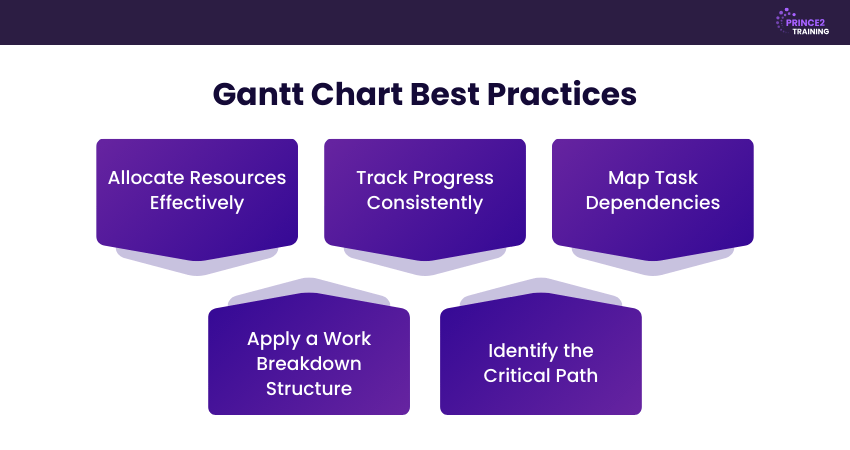
1) Allocate Resources Effectively
Effective resource allocation ensures that tasks are assigned to the right team members, tools, or equipment. By reviewing workloads and distributing responsibilities carefully, Project Managers can prevent overloading individuals and make sure that every task has the support it needs to be completed on time.
2) Track Progress Consistently
A Gantt Chart should be updated every day to reflect the current status of the project. Monitoring task completion and adjusting timelines when necessary helps Project Managers identify potential delays early and take corrective action before they affect the overall schedule.
3) Map Task Dependencies
Understanding task dependencies is essential for creating an accurate project timeline. By linking tasks that depend on each other, teams can ensure that activities occur in the correct sequence and avoid scheduling conflicts that may disrupt project progress and delay overall project completion.
4) Apply a Work Breakdown Structure
A Work Breakdown Structure (WBS) divides the project into smaller tasks and subtasks. When incorporated into a Gantt Chart, it provides a clearer view of the project scope and helps teams organise work more effectively while improving task monitoring, resource planning, and overall project coordination.
5) Identify the Critical Path
The critical path represents the sequence of tasks that directly determines the project completion date. By identifying these critical activities, Project Managers can prioritise important tasks, allocate resources strategically, and minimise the risk of delays that could impact the overall project timeline.
Conclusion
Understanding What is a Gantt Chart can transform how teams plan and manage projects. Visualising tasks, timelines, and dependencies helps improve coordination and keep work on track. When used with the right practices, a Gantt Chart becomes a powerful tool for delivering projects efficiently and meeting important deadlines.
Build strong Project Management skills with practical and globally trusted PRINCE2® Training – Join now!
Frequently Asked Questions
What is the Most Common Use of a Gantt Chart?
The most common use of a Gantt Chart is project scheduling. It helps teams plan tasks, track progress, and manage project timelines by visually displaying project activities and their durations.
Which Tool is Best for a Gantt Chart?
Several Project Management tools support Gantt Charts, including Microsoft Project, Smartsheet, Monday.com, Asana, and TeamGantt. These tools allow teams to create interactive charts, track progress and collaborate more effectively.
Is a Gantt Chart the Same as a Project Management Plan?
No, a Gantt Chart is not the same as a Project Management plan. A Project Management plan includes detailed strategies, processes, and documentation for managing a project. A Gantt Chart is simply a visual scheduling tool used within a plan.



 Continue Browsing