Contact@prince2training.co.uk
 01344203999




 Back
Back


Table of Content


24-Sep-2026

Veronica Davis
Office projects often start with excitement, clear goals and motivated teams. But as work grows, deadlines shift, updates get missed and coordination becomes harder. You may find yourself juggling emails, meetings and tasks just to stay on track. This is a common challenge for many professionals, and it clearly shows how essential Project Planning and Project Governance are for keeping work smooth, organised and stress-free.
In this blog, you will explore Project Planning in a simple, practical way. You will learn what it is, why it matters, its main components, the five life cycle phases and key best practices. Together, these insights will help you manage projects with greater confidence and clarity.
What is Project Planning?
Project Planning is the structured process of outlining how a project will be executed, monitored, and completed. It involves defining your project objectives, scope, tasks, timelines, resources, budgets, and possible risks before any major work begins. This stage creates a clear direction for the team and aligns stakeholders around shared goals.
A well-developed Project Planning helps teams understand what needs to be done, when it should be completed, and who is responsible for each activity. Using a RACI Matrix can further clarify roles and responsibilities, supporting better decision-making, improving teamwork, and allowing managers to monitor progress and address issues early.
What is a Project Plan?
A Project Plan, also known as a Project Management Plan, is a formal document that outlines carried out and controlled from start to finish. It serves as a reference point for the team and stakeholders throughout the project. A good Project Plan answers these key questions:
1) What are we trying to achieve?
2) Who is involved?
3) What resources are needed?
4) When will tasks be completed?
5) How will progress be tracked?
It also defines roles and responsibilities, communication methods, and performance tracking measures. By documenting these details, the project plan helps ensure everyone understands their tasks and expectations.

Why is Project Planning Important?
Project Planning is vital because it sets a clear path to success. It helps teams stay aligned with shared goals, manage time and budgets, and assign responsibilities. Here’s why it matters:
1) Clear Direction:
It gives everyone a shared understanding of goals, tasks, and timelines.
2) Better Coordination:
Helps teams collaborate smoothly and avoid confusion.
3) Time Management:
Keeps work on schedule by defining when each task should be done.
4) Budget Control:
Tracks cost and avoids overspending through careful planning.
5) Risk Reduction:
Identifies potential issues early, allowing for proactive solutions.
6) Quality Assurance:
Sets standards and milestones to ensure the outcome meets expectations.
What are the Components of a Project Plan?
A Project Plan is made up of several key components, each focusing on a specific aspect of the project. Below are the main components commonly included in a Project Plan:
1) Project Objectives
This section defines what the project aims to achieve. Objectives need to be clear, measurable, and aligned with organisational goals. Well-defined objectives help the team stay focused and provide a basis for evaluating project success.
2) Project Scope
The scope outlines what is included and excluded from the project. It describes the boundaries of work, deliverables, and requirements. A clearly defined scope prevents misunderstandings and helps control scope creep during execution.
3) Work Breakdown Structure (WBS)
The Work Breakdown Structure (WBS) divides the project into smaller, manageable tasks and activities. Breaking work into sections makes planning, assigning responsibilities, and tracking progress easier for the project team.
4) Project Schedule and Timeline
This component identifies task sequences, durations, and deadlines. It often includes project milestones and key dates to monitor progress. A realistic schedule helps teams complete activities on time and manage workload effectively.
5) Resource Plan
The resource plan identifies the people, tools, equipment, and materials required to complete the project. It ensures that resources are available when needed and helps avoid delays caused by shortages.
6) Budget and Cost Estimates
This section details the estimated costs of labour, materials, equipment, and other expenses. Proper budgeting allows organisations to manage finances and monitor project spending throughout the lifecycle.
7) Risk Management Plan
The risk plan identifies potential problems that could affect the project. It also includes strategies to prevent, reduce, or respond to those risks. Planning for risks helps minimise disruptions and improve project stability.
8) Communication Plan
The communication plan explains how information will be shared among stakeholders. It defines meeting schedules, reporting methods, and communication channels, ensuring transparency and collaboration.
9) Quality Plan
This component in a Project Plan defines quality standards, acceptance criteria, and review procedures. It ensures that deliverables meet required specifications and customer expectations.
10) Monitoring and Control Plan
The monitoring and control plan describes how progress will be tracked and measured. It includes performance indicators, reporting processes, and corrective actions to keep the project aligned with its goals.
Deliver projects successfully while ensuring agility with PRINCE2 Agile® Foundation and Practitioner Course – Register today!
How to Create a Project Plan?
Creating a Project Plan requires a systematic approach that converts ideas into clear, actionable steps. It helps organise tasks, assign responsibilities, and prepare the team before actual work begins. Below are the steps you can follow to create a Project Plan:
Step 1: Establish Your Goals and Objectives
The first step in creating a Project Plan is to clearly define and understand what the project is expected to achieve. Goals should be specific, realistic, and aligned with business or organisational needs.
It is helpful to document expected outcomes and ensure stakeholders agree on them. When everyone understands the purpose of the project, it becomes easier to prioritise tasks and avoid unnecessary work.
Step 2: Define Key Success Metrics
After setting goals, the next step is to decide how success will be measured. Key Performance Indicators (KPIs) measure and evaluate project performance and progress against defined objectives. They may track schedule performance, budget adherence, quality standards, customer satisfaction, and stakeholder expectations.
Defining these metrics early allows the team to track performance throughout the project rather than waiting until completion. It also helps managers identify issues quickly and take corrective action before small problems become major delays.
Step 3: Identify Stakeholders and Assign Roles
At this stage, identify all individuals or groups who are involved in or affected by the project, such as team members, clients, stakeholders, and senior management. After identifying each role, clearly define their responsibilities and level of authority.
Assigning roles prevents confusion, avoids duplication of work, and improves accountability. When everyone knows what they are responsible for, collaboration becomes smoother and decisions can be made more efficiently.
Step 4: Determine Your Budget
This step involves estimating the total financial resources required to complete the project. It includes labour costs, materials, equipment, and other operational expenses. Accurate budgeting helps organisations control spending and avoid unexpected financial issues.
It is also important to include a contingency reserve to handle unforeseen expenses or risks. Setting aside a small portion of the budget for unexpected situations helps maintain project stability and prevents minor issues from affecting the overall schedule and objectives.
Step 5: Align on Milestones, Deliverables, and Dependencies
In Project Management, milestones represent major checkpoints, while deliverables are the outputs produced at each stage. Project Dependencies identify tasks that rely on the completion of other tasks before they can begin.
Clarifying these elements helps the team understand the workflow and task sequence more clearly. As a result, work progresses smoothly and tasks are completed in the proper order. This visibility allows timely adjustments to keep the project on schedule.
Step 6: Develop a Project Timeline and Schedule
This step creates a structured Project Timeline and sets the start and end dates end dates for each task in a project. It establishes clear deadlines and provides a structured timeline for completing the work. Schedules may include calendars, task lists, or visual charts to track progress.
A well-planned schedule and timeline improve productivity and prevent last-minute pressure. It also allows managers to monitor progress regularly, identify potential delays, and take corrective actions to keep the project on track.
Step 7: Develop a Communication Plan
The communication plan defines how information will be shared throughout the project lifecycle. It specifies who needs what information, how often updates will be provided, and which channels will be used, such as meetings, reports, emails, or project management tools.
Clear communication keeps stakeholders informed and engaged. It ensures issues are identified quickly and helps maintain coordination across the project team. Regular and consistent updates keep the project aligned with its objectives.
5 Phases of the Project Life Cycle
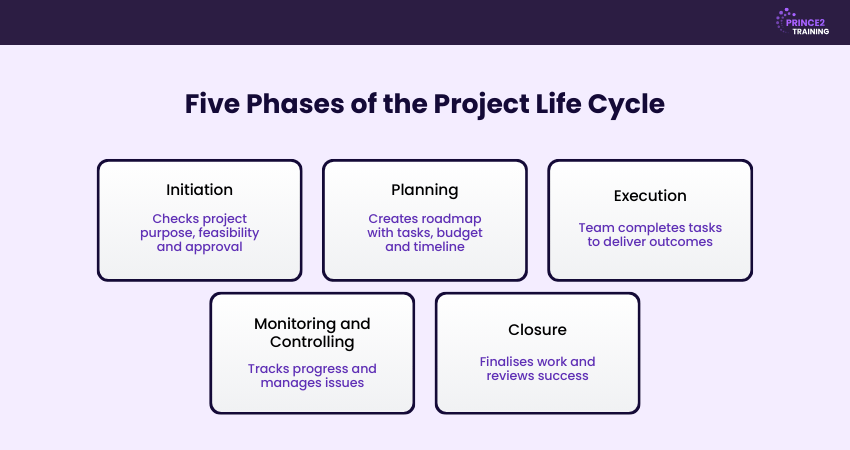
The Project Life Cycle has five main phases that guide a project from beginning to end. Each phase has a specific purpose and helps ensure the project is completed successfully.
1) Initiation
This is the starting point where the project idea is evaluated. The goals, purpose and feasibility are checked, and a Project Initiation Document is often created to establish a clear foundation for the project. It helps confirm whether the project is worth pursuing before any major resources are used.
2) Planning
In this phase, the team defines the scope, tasks, timeline, budget, risks and resources. A detailed Project Plan is made to guide the entire project. This phase builds a clear Project Roadmap so everyone knows what to do and when to do it.
3) Execution
This is where the actual work begins. Teams complete tasks, use resources, collaborate and work towards achieving the project objectives. Strong coordination in this phase ensures the plan is turned into real results.
4) Monitoring and Controlling
During this phase, the project’s progress is checked regularly. The team tracks performance, manages risks, fixes issues and ensures the project stays on schedule and within budget. It keeps the project aligned with the plan and allows quick adjustments when needed.
5) Closure
This is the final phase where the project concludes. Deliverables are handed over, documentation is finalised, success is reviewed and the team officially closes the project. It ensures all work is wrapped up properly and lessons are recorded for future projects.
Gain foundational Project Management skills through our PRINCE2® Foundation Training and set yourself up for success.
Project Planning Tools and Software
Managing a project without the right tools is like building a house without a plan. To support smooth Project Planning, here are seven popular tools and what makes them effective.
1) ClickUp
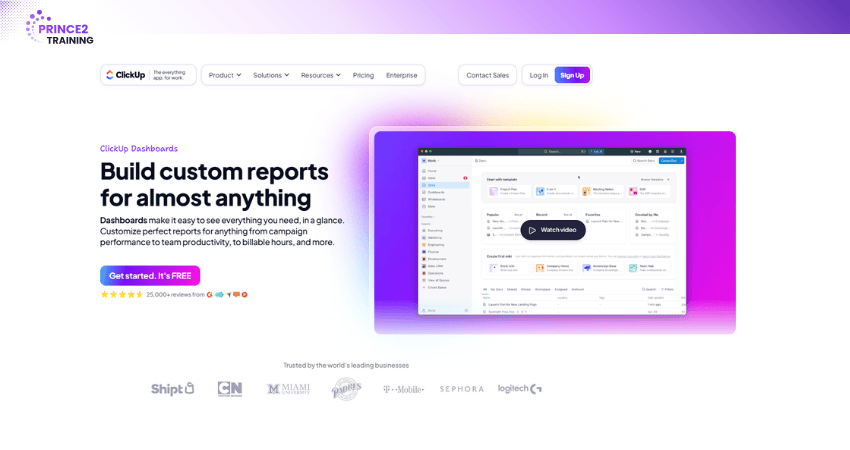
ClickUp is a comprehensive Project Management platform that helps teams organise tasks, track progress, manage documentation, and collaborate efficiently within a unified workspace.
Key Features:
1) Task views: List, Board, Gantt, Calendar, Mind Map
2) Docs and wikis for knowledge management
3) Time tracking and Workload Management
4) Goal setting and alignment with project progress
5) Native automation to reduce manual work
Best For:
Mid-to-large teams looking for flexibility, scalability, and centralised work management.
Example:
A Software Development team tracks sprints, bug reports, and documentation, all while collaborating in real time using integrated docs and status dashboards.
2) Freedcamp
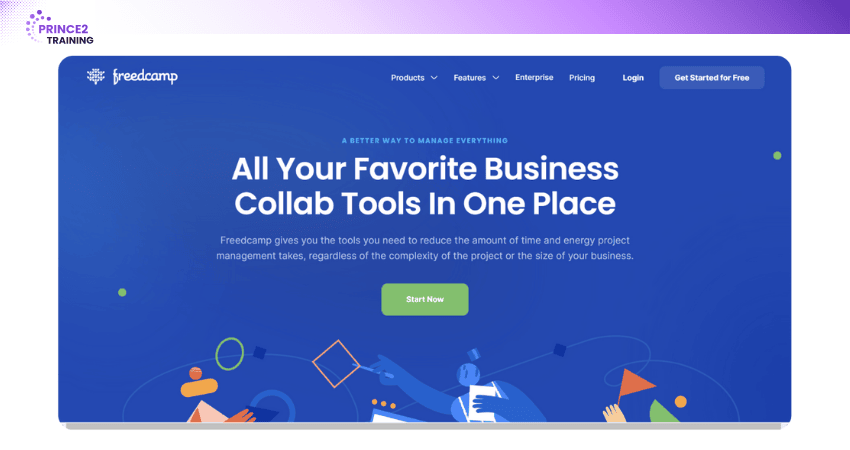
Freedcamp is a lightweight and affordable Project Management tool perfect for startups, freelancers, and small businesses. Despite its low price, it offers a solid range of features.
Key Features:
1) Task management and subtasks
2) Time tracking and invoicing
3) Milestone and calendar views
4) File storage and discussion boards
5) Gantt charts for timeline tracking
Best For:
Budget-conscious teams needing basic yet functional Project Planning features.
Example:
A Freelance Graphic Designer uses Freedcamp to manage client projects, track time spent, create invoices, and store final files, all on one platform.
It’s time to turn your project experience into expertise. Join the
PRINCE2 Agile® Foundation Course
today.
3) Asana
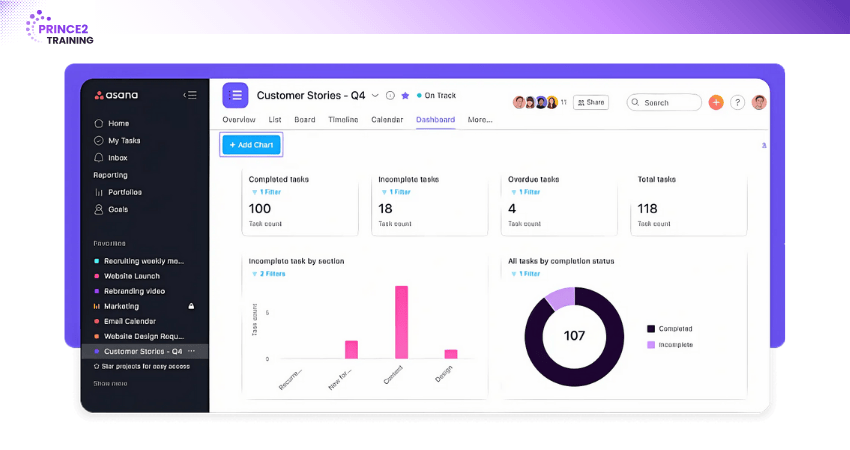
Asana is one of the most user-friendly tools available, offering a sleek interface and powerful project tracking features. It’s highly collaborative, making it ideal for marketing, creative, and cross-functional teams.
Key Features:
1) Project and task boards (Kanban-style)
2) Timeline and calendar view
3) Custom fields and workflow templates
4) Task dependencies and milestone tracking
5) Integration with Slack, Google Drive, Zoom, etc.
Best For:
Teams looking for a visually intuitive tool to track work with minimal training.
Example:
A marketing team uses Asana to launch a new campaign, from brainstorming and asset creation to scheduling social posts and tracking campaign performance.
You manage so much already - Master it with
PRINCE2® Foundation Training
now!
4) Hive
Hive combines Project Management, communication, and workflow tracking features within a single platform. It enables teams to manage tasks, collaborate efficiently, and monitor project performance using integrated reporting and automation capabilities.

Key Features:
1) Flexible views: Gantt, Kanban, calendar, table
2) Native chat and email sync
3) Proofing and approval workflows
4) AI-powered project risk analysis
5) Time tracking and reporting
Best For:
Remote teams needing centralised communication and planning tools.
Example:
An event planning agency manages multiple client events, collaborates in real time through Hive chat, and sends approvals directly through the platform.
Transform your approach with our
PRINCE2 Agile® Practitioner Training
and deliver projects faster, better and smarter.
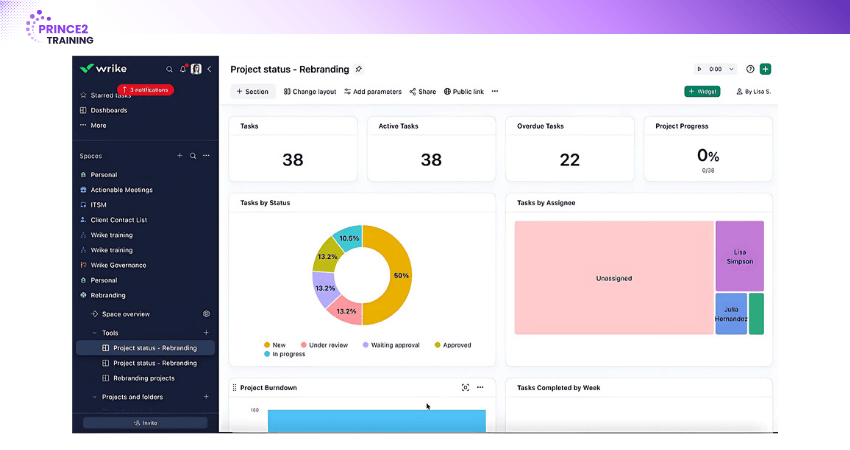
5) Wrike
Wrike is a robust, enterprise-grade platform ideal for complex projects. It’s known for powerful reporting, team dashboards, and role-based permissions.
Key Features:
1) Advanced Gantt charts and workload views
2) Dynamic request forms
3) Real-time activity streams and analytics
4) Time logs and performance tracking
5) Integrations with Adobe Creative Cloud, Salesforce, Microsoft, etc.
Best For:
Large teams or enterprises with complex workflows and a need for deep reporting.
Example:
An IT team at a multinational corporation uses Wrike to manage hardware rollouts across regions, assigning tasks, tracking resources, and reporting progress to stakeholders.
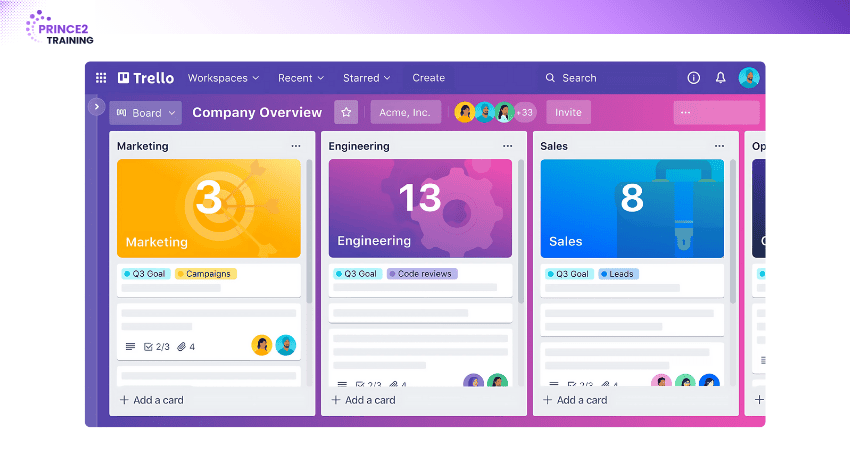
6) Trello
Trello is a simple and visual Project Management tool based on the Kanban board method. It's best suited for smaller projects or teams just getting started with planning tools.
Key Features:
1) Drag-and-drop cards and lists
2) Custom labels, checklists, and attachments
3) Automation via Butler
4) Power-Ups (integrations) for added functionality
5) Mobile-friendly interface
Best For:
Individuals or small teams who prefer visual task organisation with minimal complexity.
Example:
A content writer uses Trello to organise blog topics, assign writing tasks, attach briefs, and track content through stages like Draft, Review, and Published.
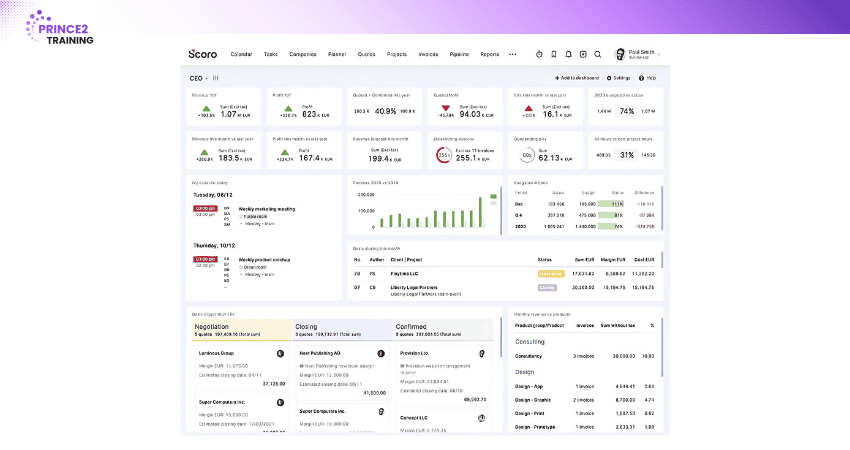
7) Scoro
Scoro is a powerful business management platform that combines Project Planning with financial tracking, CRM, invoicing, and reporting. It's built for service-based companies needing more than just task management.
Key Features:
1) Project and task management with time tracking
2) Real-time dashboards and profitability reports
3) Quoting, billing, and invoicing features
4) Integrated CRM and client database
5) Calendar and team scheduling tools
Best For:
Agencies, consultancies, and professional service firms needing integrated business operations.
Example:
A consulting agency uses Scoro to manage client timelines, track billable hours, create invoices, and generate project profitability reports, all in one ecosystem.
Upgrade your Project Management credentials with our PRINCE2® Practitioner Training and lead with authority.
Project Planning Example
To better understand Project Planning, let’s imagine a simple example of launching a company website. The business wants to create a professional online presence to promote its services and attract new customers. Before development begins, the Project Manager prepares a detailed plan outlining goals, tasks, resources, timeline, and risks.
1) Project Objective:
a) Launch a fully functional business website within 3 months
b) Improve online presence and generate 20% more customer enquiries
2) Scope of Work:
a) Design website layout and User Interface (UI)
b) Develop core pages such as home, about, services, contact us, etc.
c) Integrate contact forms and basic Search Engine Optimisation (SEO) setup
d) Exclude advanced e-commerce features (not in scope)
3) Stakeholder Identification:
Now, the team identifies stakeholders, including the Business Owner, Project Manager, Designers, Developers, and marketing staff. Tasks are then broken into stages like requirement gathering, design approval, development, testing, and final deployment.
4) Work Breakdown and Task Planning:
The project is divided into structured stages, including requirement gathering, design approval, development, testing, and final deployment. This structured breakdown improves coordination, accountability, and workflow clarity.
5) Key Success Metrics:
a) Complete the website launch within the 3-month schedule
b) Keep total project costs within the approved budget
c) Achieve 80% or higher customer satisfaction after launch
d) Maintain website loading time below 3 seconds
6) Timeline and Milestones:
a) Week 1–2: Requirement gathering
b) Week 3–4: Design approval (Milestone 1)
c) Week 5–8: Development phase (Milestone 2)
d) Week 9–10: Testing and revisions
e) Week 11: Final review, approval and deployment preparation
f) Week 12: Final launch (Milestone 3)
7) Budget Estimate:
a) Design and development costs
b) Hosting and domain registration fees
c) Required software tools and licences
d) Contingency reserve (10% of the total budget)
8) Risks and Mitigation:
a) Delayed Feedback: Schedule regular review meetings
b) Technical Issues: Include buffer time in the schedule
c) Budget Overrun: Monitor and track expenses weekly
9) Communication Plan:
a) Conduct weekly team progress meetings
c) Provide biweekly status reports to stakeholders
d) Use a shared Project Management tool for task tracking and updates
Best Practices for Project Planning in 2026
Modern Project Planning is no longer limited to creating schedules and task lists. Organisations focus on adaptability, collaboration, and data-driven decision-making. Adopting the right practices helps teams respond quickly to change, reduce risks, and deliver projects more efficiently. So, here are the best practices that you can follow:
1) Define Clear and Measurable Objectives:
Set specific and realistic goals at the beginning of the project. Clearly defined objectives guide team efforts and make it easier to measure progress and success.
2) Prioritise Stakeholder Involvement:
Engage stakeholders early and regularly. Continuous feedback helps prevent misunderstandings, reduces rework, and ensures the project delivers real value.
3) Plan for Risks Proactively:
Identify potential risks during the planning phase and prepare mitigation strategies. Early risk planning prevents delays and helps the team respond calmly when issues arise.
4) Leverage Project Management Tools:
Use modern collaboration and Project Management tools to track tasks, share updates, and manage documentation. Digital tools improve transparency and coordination across teams and can complement methods such as the Eisenhower Matrix for task prioritisation.
5) Focus on Resource Planning:
Allocate people, skills, and equipment carefully. Proper resource planning prevents workload imbalance and improves productivity.
6) Establish Strong Communication Practices:
Maintain clear communications like reporting frequency, channels, and responsibilities.
7) Monitor and Adjust Continuously:
Project Planning should not be static. Review progress regularly, analyse performance, and adjust plans when necessary to keep the project on track.
8) Document Everything Clearly: Maintain organised documentation for scope, decisions, and changes. Clear records reduce confusion and help future projects benefit from past experience.
Conclusion
Project Planning might feel like a big task, but breaking it down makes it much easier. With clear goals, the right tools, and a good Project Plan, you can avoid stress and stay on track. No matter how big or small your project is, a solid Project Plan helps you work better and reach your goals with confidence. Start small, stay focused, and enjoy the progress!
Boost your Project Management skills with our PRINCE2 Training - Join today!
Frequently Asked Questions
What are the Four Types of Project Planning?
The four types of Project Planning are strategic, operational, tactical, and contingency planning. Strategic planning sets long-term direction, operational planning defines daily activities, tactical planning focuses on departmental actions, and contingency planning prepares backup responses for risks, disruptions, or project changes.
How do You Start a Project Plan?
You can start by clearly defining the project objective, identifying stakeholders, and gathering requirements. Then outline the scope, develop a Work Breakdown Structure, estimate resources and timelines, identify risks, and establish a clear communication structure for the team.
What are Common Project Planning Mistakes?
Common mistakes in Project Planning include unclear goals, unrealistic deadlines, poor communication, and a lack of proper risk planning. Not involving stakeholders, misjudging the resources needed, and failing to document details can also create problems. These can cause delays, extra costs, and lower work quality or team performance.



 Continue Browsing